A checklist that builds itself
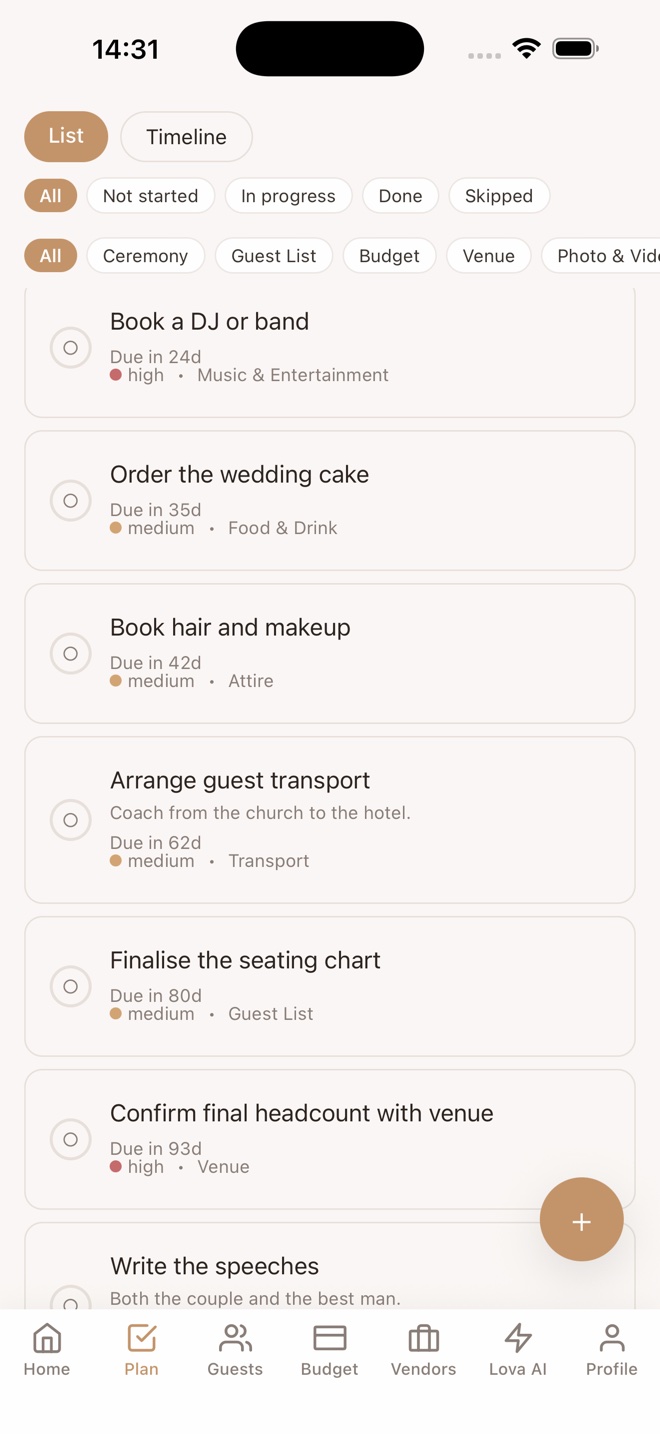
From your date, guest count and style, Lova generates a plan with due dates worked back from the wedding. Add your own tasks, assign them, swipe to clear.
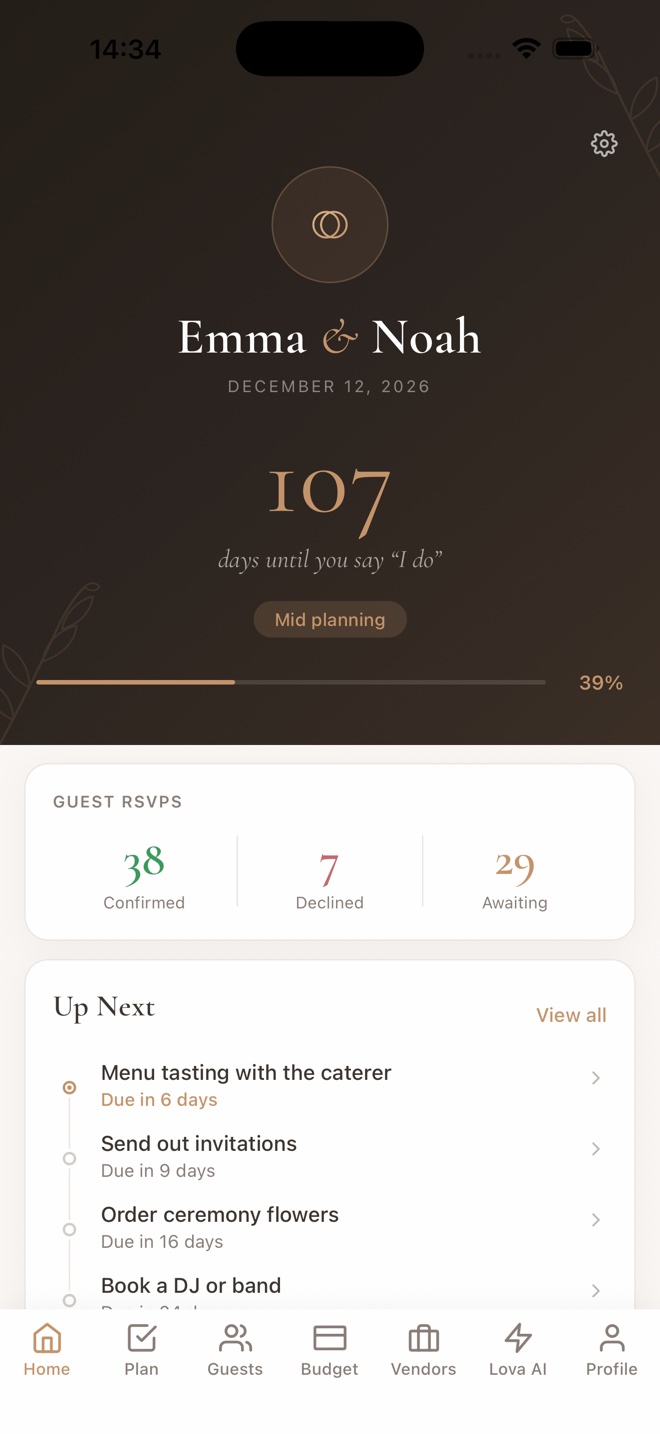
Tell Lova your date, budget and style. It builds your checklist, keeps your guest list and budget in one calm place, and answers questions about your wedding — not weddings in general.
iPhone and Android · Free to start · Lova 0.2.1
One payment.
Most free planners are funded by vendor marketplaces and upsells — Zola sells its seating chart for $14.99 and guest texting for $79.99 on top. Lova for Life is a single purchase per wedding. No ads, no vendor pitches, nothing ticking on after the day.
An AI that knows your wedding.
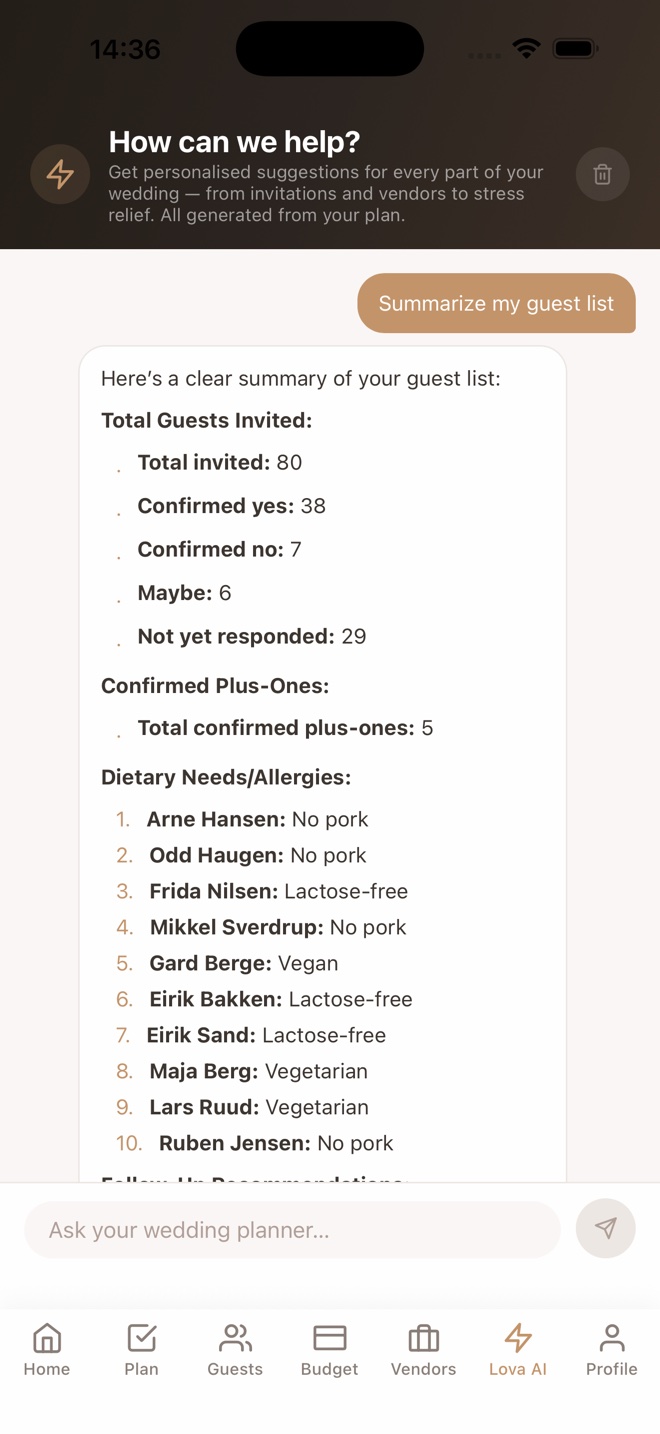
Lova AI reads your actual checklist, budget and guest list before it answers. Ask what to do this week, where the budget is tight, or for an invitation text in your tone — and get an answer about you, not a generic chat.
Calm by design.
Reminders only for real deadlines. No streaks, no nudges to “book a vendor”. A serif where it matters, a countdown that means something, and a stress tip when you open the app on a hard day.
Made in Norway.
Norwegian and English from day one, prices in your currency, and a roadmap built around how weddings actually work here — evening guests, Vipps gifts, the lot.
From your date, guest count and style, Lova generates a plan with due dates worked back from the wedding. Add your own tasks, assign them, swipe to clear.
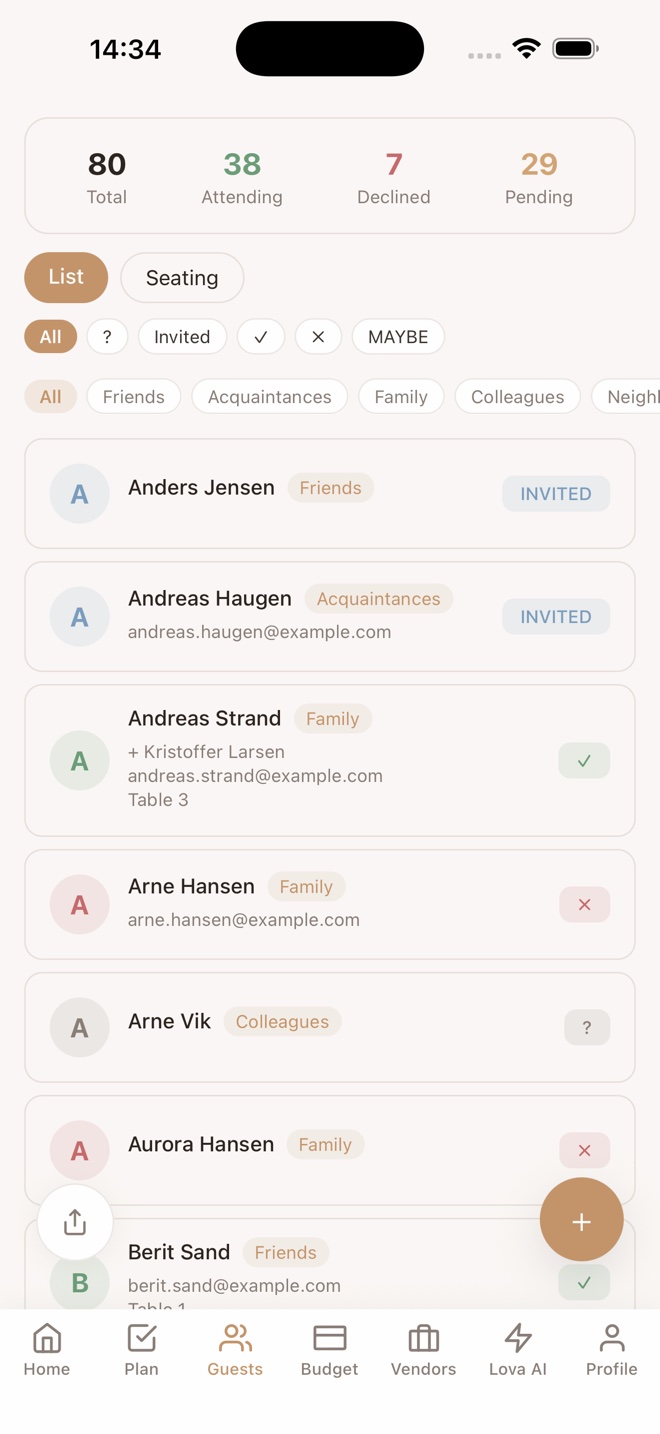
Add guests in bulk, track RSVPs, plus-ones and dietary needs. Share a personal RSVP page with your photo and a message — guests answer per event, no app needed.
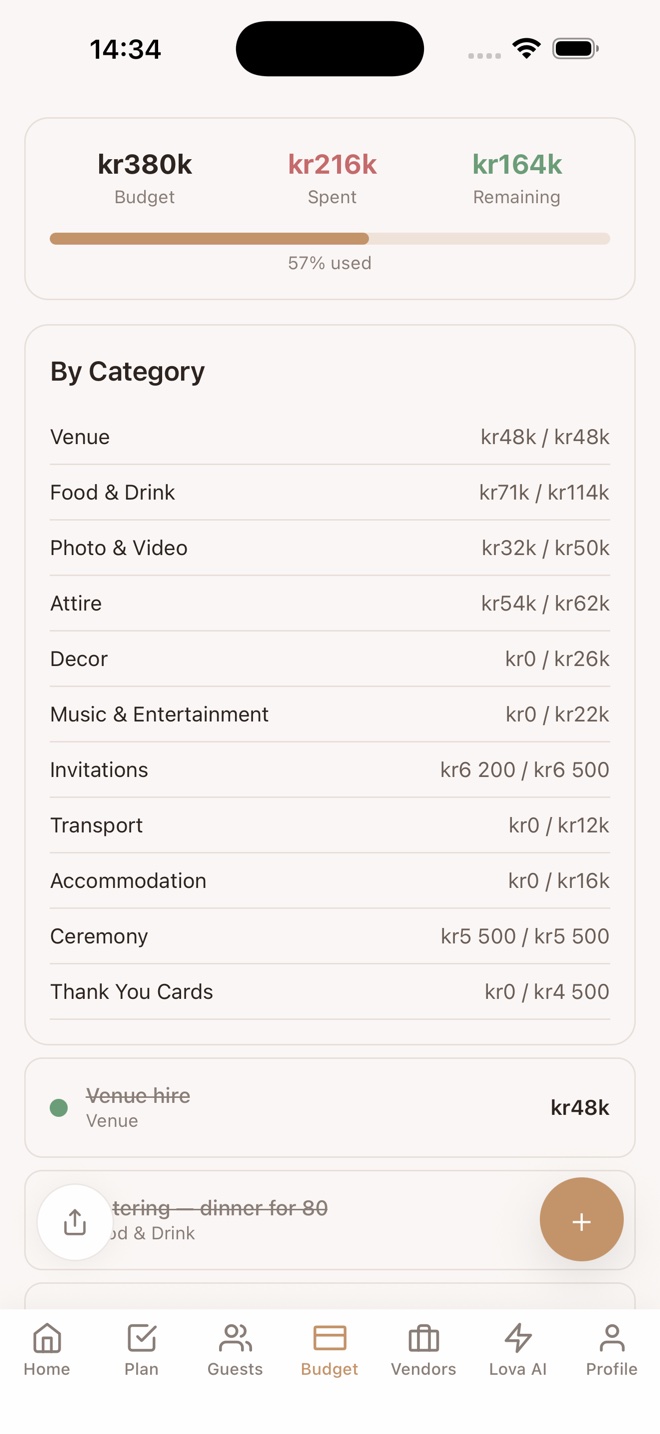
Estimated versus actual, deposits and due dates, per category. Presets in your currency so you start from something real, not a blank sheet.
Seven one-tap helpers — next steps, budget help, guest summary, invitation and thank-you text, vendor questions, a calmer week — and a chat that adds tasks straight to your plan.
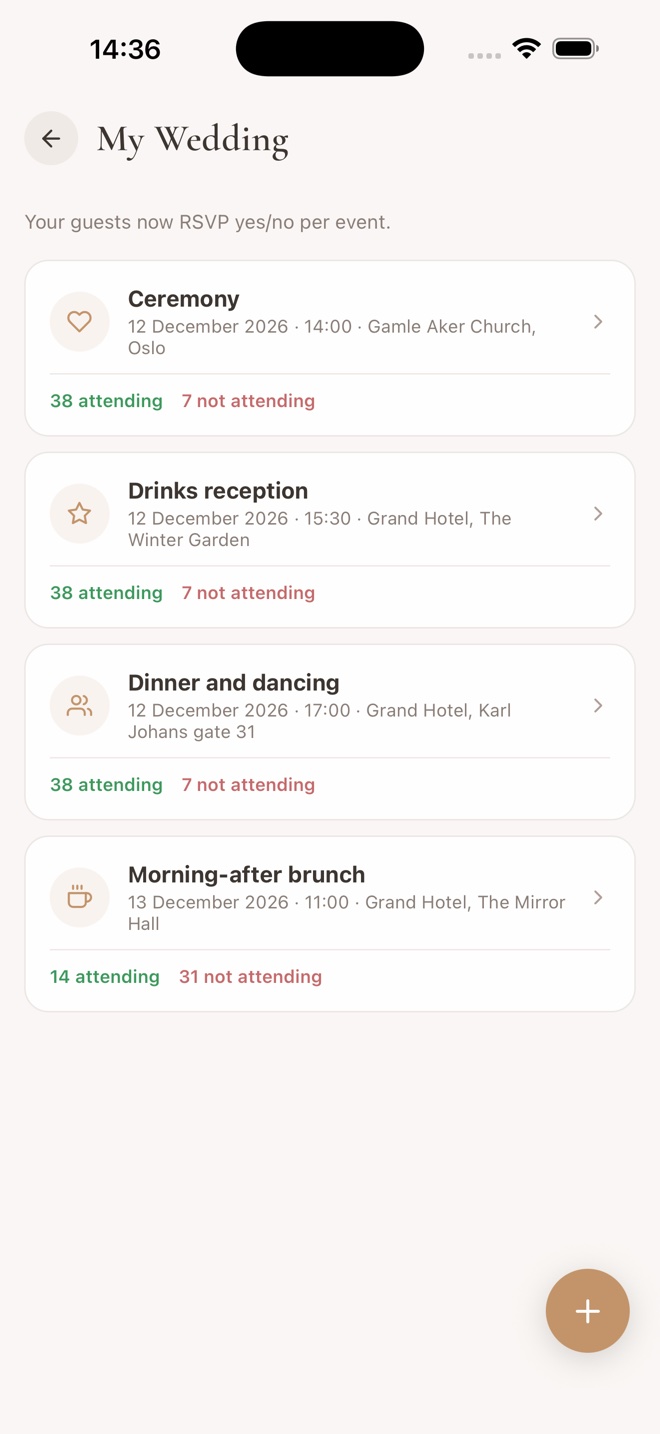
Ceremony, reception, afterparty, brunch — build the schedule once and it flows into the RSVP page and the countdown.
Who you're researching, who you've contacted, who's booked — with links and notes, tied to the budget line they belong to.
One release a week. Here’s the order.
Invite your partner, or a helper for the guest list, and see changes live on both phones.
One tap, no password to remember.
From a spreadsheet or your contacts. Meal choices and evening guests, the way Norwegian weddings work.
Your story, the schedule, travel and stay, and gift links — Vipps, Stas or a store wish list.
Drag guests onto tables. Print place cards with meal choices.
A sidebar, wider lists, and the seating chart the way it was meant to be used.
Reminders to those who haven’t answered, and practical info the day before.
A QR code on the table. Guests upload without installing anything.
A weekly note about what matters this week, and your budget against typical weddings in your country.
Lova is a small play on words. In English it echoes lover. But the name is Norwegian — Norway is where the app was born — and in Norwegian, å love seg bort means to pledge yourself away.
That is the old word for getting engaged: å trulove seg, to make a true promise. An engagement was always just that — an agreement to marry, made before the wedding itself.
This app is for the season in between: after the promise, before the day it is kept.
Everything, with room to try: 15 tasks of your own, 15 guests, 10 budget lines, 5 vendors and 10 AI messages.
Unlimited everything, for this wedding, forever. Bought once inside the app. No subscription, no renewal, nothing to cancel.
Two minutes to a plan you can actually follow.